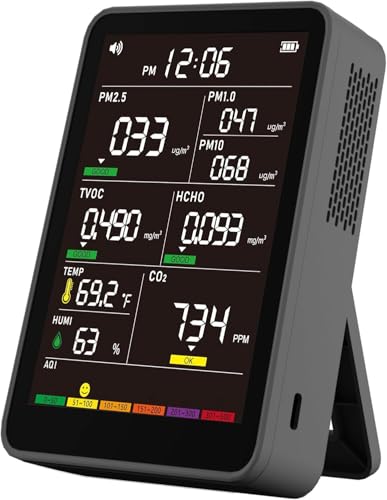

When you fire up your 3D printer, you’re not just creating parts—you’re releasing ultrafine particles, volatile organic compounds (VOCs), and other airborne pollutants. Without proper ventilation or monitoring, these emissions can affect your indoor air quality and your health. That’s why finding the best air quality monitor for 3D printing is essential for any hobbyist or professional workshop. In this guide, we’ve reviewed eight top-rated monitors from brands like Temtop, GoveeLife, and YNAK that measure everything from PM2.5 and CO2 to formaldehyde and TVOC, so you can breathe easy while you print. Whether you need a portable spot-checker or a continuous home monitor, our picks have you covered.
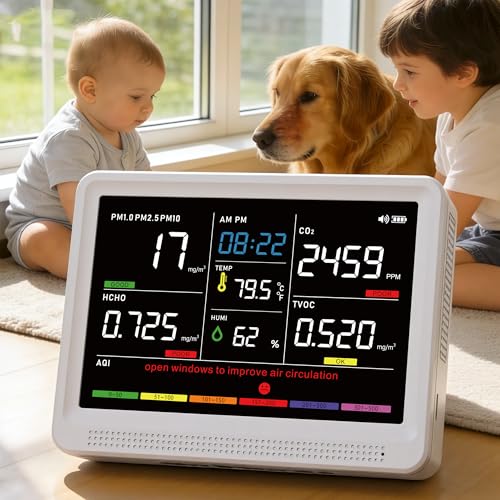


Buying Guide: What to Look for in a 3D Printing Air Quality Monitor
Sensor Coverage: VOC, PM, CO2, and HCHO
A monitor that only tracks PM2.5 won’t catch the VOCs emitted by common filaments like ABS or PLA. Look for models that detect multiple parameters: particulate matter (PM1.0, PM2.5, PM10), total volatile organic compounds (TVOC), formaldehyde (HCHO), and carbon dioxide (CO2). The best air quality monitors for 3D printing combine laser particle counters with electrochemical sensors for reliable readings. For example, the Temtop monitor uses a Dart electrochemical HCHO sensor for lab-tested accuracy.
Display and Real-Time Alerts
You need to see air quality data at a glance. Large HD screens with color-coded AQI levels make it easy to spot dangerous spikes. Many monitors offer adjustable brightness and audible alerts when thresholds are exceeded. The YNAK and Sainlogic models feature 7 distinct alert buzzers and tri-color LED indicators, so you know immediately when ventilation is needed.
Portability vs Continuous Monitoring
If you move your printer between rooms or want to check air quality in different areas, a portable battery-powered monitor is ideal. Most models offer 4 to 10 hours of runtime on a charge. For 24/7 monitoring, look for units that can be plugged in via USB-C. The GoveeLife H5106, for instance, is wired-only but integrates with smart home systems for continuous tracking. For a balance, the AirWhisper monitors offer both portability and fast charging.
Smart Features and Data Logging
Advanced users may want Wi-Fi connectivity, app control, and data export for trend analysis. The Temtop LKC-1000S+ allows you to log all 7 parameters to an Excel spreadsheet via USB—perfect for documenting air quality over weeks or months. The GoveeLife H5106 works with GoveeHome smart appliances and provides 13-day data graphs. If you prefer simplicity, many monitors work offline with no app needed. Check our best buy air quality monitor for more smart options.
Final Thoughts
Choosing the best air quality monitor for 3D printing comes down to the pollutants you need to track and how you plan to use the device. For comprehensive, lab-grade detection with data export, the YNAK 16 in 1 Air Quality Monitor Indoor High-Precision offers exceptional sensor accuracy and a large display. If you want an affordable, smart-enabled monitor that integrates with your existing smart home ecosystem, the GoveeLife Smart Air Quality Monitor with PM2.5 is a solid choice. Either way, you’ll gain peace of mind knowing your print room air is safe.
Related Guides
- Top Indoor Outdoor Air Quality Monitors for 2026
- Cheap Ambient Air Quality Monitors
- Airthings View Plus Review
Frequently Asked Questions
What pollutants should I monitor for 3D printing?
Key pollutants include ultrafine particles (PM2.5, PM1.0), volatile organic compounds (VOCs), and formaldehyde (HCHO) from filament emissions. CO2 can also build up in poorly ventilated rooms. A monitor that covers at least PM2.5 and TVOC is recommended for 2026.
Do I need a CO2 monitor for 3D printing?
While CO2 is not directly emitted by most filaments, it can accumulate in small, enclosed spaces due to human respiration and poor airflow. A CO2 sensor helps you gauge overall ventilation effectiveness, which is important when running printers for hours. Many of the monitors in this guide include CO2 detection.
Can I use a portable air quality monitor for my 3D printer?
Yes. Portable monitors with rechargeable batteries let you move the device between your printer, desk, and other rooms. They are ideal for spot-checking air quality during prints. Just ensure the model has a fast refresh rate (1 to 3 seconds) to catch sudden spikes. For continuous monitoring, consider a plug-in unit or one that supports USB-C charging while in use.
How often should I check air quality in my print room?
For safety, run your monitor continuously during printing and check readings before and after each session. Many monitors store historical data, so you can review trends over time. For deeper insights, explore our Air Guides on maintaining healthy indoor air.